Prepare the visit
Find the patient, review the visit context and choose the examination workflow. Worklists for today, examinations, clinical review and follow-up help you return to unfinished work.
 Clinaraall care, connected.
Clinara Workbench
Bring patient context, guided examinations, diagnostic tools and clinical notes together on mobile and desktop.
Use Workbench on its own at the point of care. Open the same session on a computer when you need a larger view, a keyboard or more processing power.
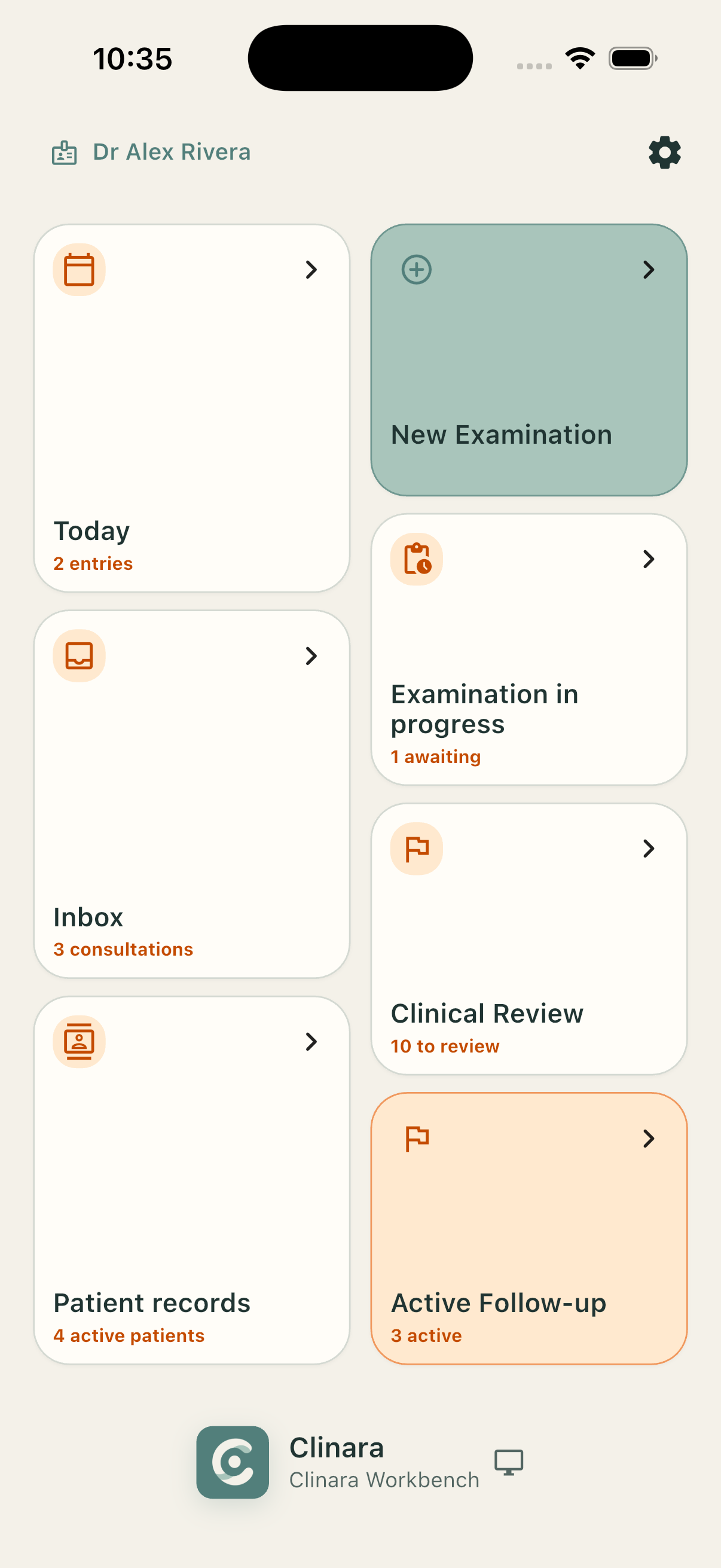
Keep the examination connected: what you collected, how you reviewed it and what needs to happen next.
Find the patient, review the visit context and choose the examination workflow. Worklists for today, examinations, clinical review and follow-up help you return to unfinished work.
Collect observations, measurements and supported device outputs against the right examination. For ultrasound, organise passes by area and side while retaining the source frames for review.
Move through a pass, bookmark useful frames and inspect analysis alongside the original image. Measurements, drawings and notes help record what matters in the clinical context.
Keep visit notes with the examination and prepare selected images and findings for a report. Save your work, return for review and keep follow-up visible after capture is complete.
At the point of care
The mobile workspace brings acquisition and the patient record together, whether the examination takes place in a clinic or with a visiting team.

The phone hosts the examination session and its records. You can organise patients, capture findings and review your work without needing the clinic-wide Workspace application.
Workbench organises the examination around the clinical task. Diagnostic Aids connect supported devices, tests, methods and analysis to that workflow, giving each output a patient, a purpose and a place in the record.
Analysis belongs beside its source. The clinician can return to the captured evidence, examine an overlay and add observations before carrying findings into documentation.
Workbench on your computer
Review passes, work with notes and inspect findings on a larger screen while the phone retains control of the clinical session.
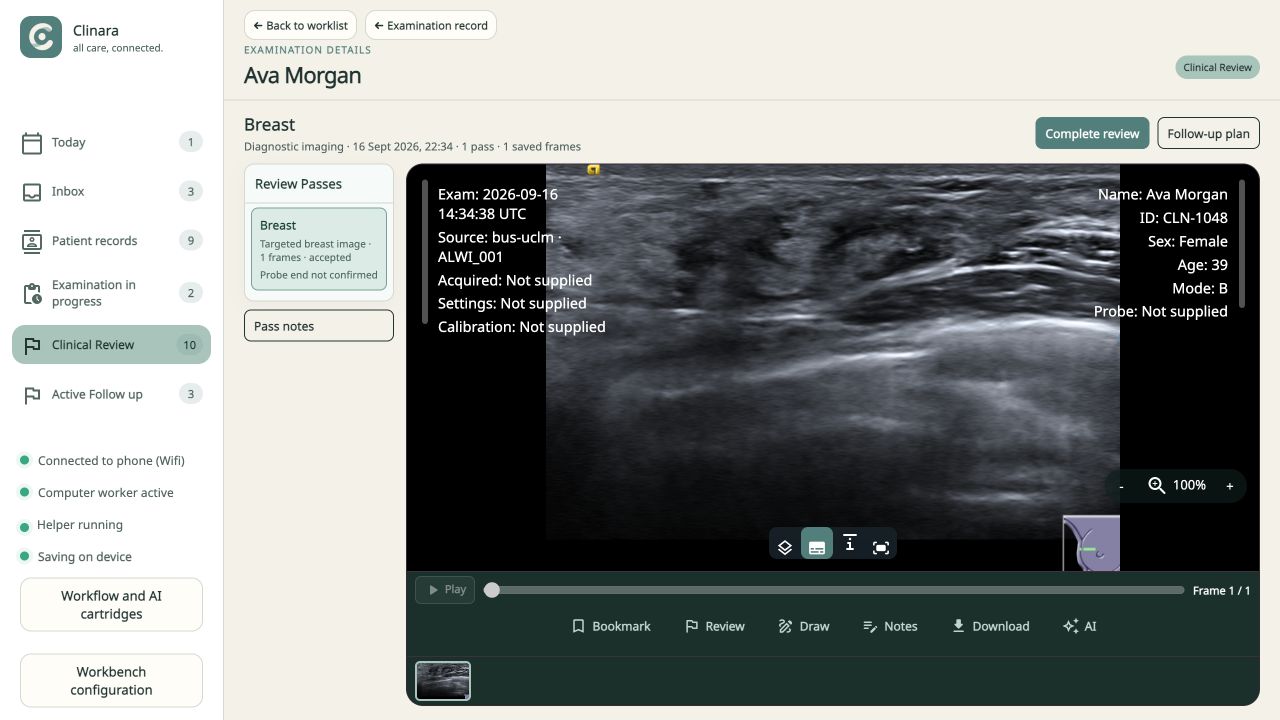
The Workbench helper connects an approved computer to the phone over supported Wi-Fi or USB connections and opens the workspace in the browser. Keep Workbench open on the phone while you use it.
The desktop is a view into the phone-hosted workspace. The helper carries the connection; it does not become a separate clinical database or send the examination through a cloud relay.
A connected computer worker can take on supported processing jobs. It returns results to Workbench, while the phone remains responsible for saving the examination and its history.
Choose the product arrangement around your practice: a standalone Workbench, or a wider deployment for continuity and collaboration.
The clinician’s mobile and desktop tool. Keep capture, review, notes and reporting close to the patient.
The clinic-wide collaboration layer, bringing appointments, shared worklists, patient context and follow-up into the team’s work.
Explore WorkspaceThe application-services layer for a connected deployment, providing a home for synchronisation and data continuity across the organisation.
Explore Cloud